Disk Still Full After Deleting a Log File? Here's the Fix
Deleted a huge log file but df still shows the disk full? A running process still holds it open. Find it with lsof +L1 and free the space safely.
If your disk is full after deleting a log file, a running process almost certainly still has that file open. Linux removes the file's name straight away but only frees its space when the last process closes it, so df still counts it. Find the process with lsof +L1, then restart it or truncate the file through /proc.
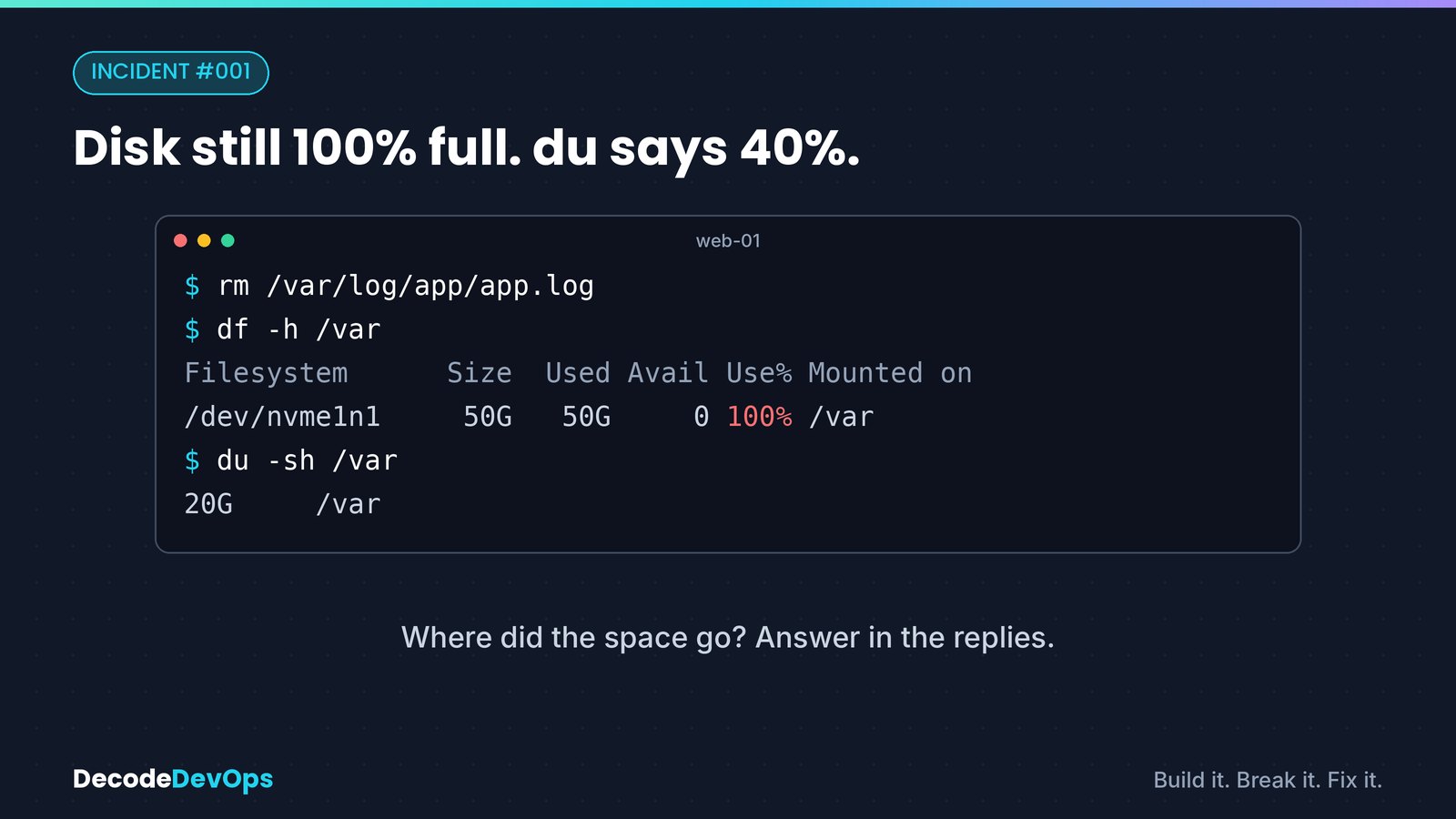
The symptom: df and du disagree#
You get a disk alert, find a 40 GB log, delete it, and nothing changes:
$ sudo rm /var/log/app/app.log
$ df -h /
Filesystem      Size  Used Avail Use% Mounted on
/dev/nvme0n1p1   50G   50G     0 100% /
$ sudo du -sh --one-file-system / 2>/dev/null
9.8G    /
df asks the filesystem how many blocks are in use. du walks the directory tree and adds up the files it can find. A file that has been deleted but is still open has no name in any directory, so du can't see it, but its blocks are still allocated, so df still counts them. A large gap between the two is the signature of this problem.
Why deleting doesn't free the space#
On Linux, rm calls unlink(), which removes a name that points to the file's inode. The data itself is freed only when two things are both true:
- No names (hard links) point to the inode.
- No process has the file open.
Your application opened app.log when it started and still holds a file descriptor to it. After rm, the link count is zero, but the open descriptor keeps the inode alive, and the application keeps writing to it.
Find the process holding the deleted file#
lsof +L1 lists open files whose link count is less than one, which means deleted but still open:
$ sudo lsof +L1
COMMAND   PID USER   FD   TYPE DEVICE    SIZE/OFF NLINK   NODE NAME
java     2817  app   23w   REG  259,1 42949672960     0 393231 /var/log/app/app.log (deleted)
The important columns:
- PID 2817 is the process holding the file.
- FD 23w is file descriptor 23, open for writing.
- SIZE/OFF is the space it's still using, here 40 GB.
If lsof isn't installed, the same information is in /proc:
sudo find /proc/*/fd -ls 2>/dev/null | grep '(deleted)'
Free the space: three options#
| Option | Command | When to use it |
|---|---|---|
| Restart the process | sudo systemctl restart app |
Safest when a brief restart is acceptable |
| Ask it to reopen logs | sudo systemctl reload app or kill -HUP <pid> |
When the app reopens its log file on a signal (nginx, many daemons) |
| Truncate through /proc | sudo truncate -s 0 /proc/2817/fd/23 |
When you can't restart and the old log content isn't needed |
The /proc option works because /proc/<pid>/fd/<n> is a handle on the open file itself, even though its name is gone. Truncating it to zero releases the blocks immediately:
$ sudo truncate -s 0 /proc/2817/fd/23
$ df -h /
Filesystem      Size  Used Avail Use% Mounted on
/dev/nvme0n1p1   50G  9.9G   40G  20% /
Check before you truncate
Truncating destroys that log's contents. If you need it for an investigation, copy it out first with sudo cp /proc/2817/fd/23 /tmp/app.log.saved, as long as you have space somewhere else.
Prevent it: let logrotate do the rotating#
The root cause is deleting a log while something writes to it. Configure logrotate to rotate safely in one of two ways.
Option A: tell the application to reopen its log (preferred when the app supports it):
/var/log/app/*.log {
    daily
    rotate 7
    compress
    delaycompress
    missingok
    notifempty
    postrotate
        systemctl reload app >/dev/null 2>&1 || true
    endscript
}
Option B: copytruncate for applications that can't reopen their logs. Logrotate copies the file, then truncates the original in place, so the application's descriptor stays valid:
/var/log/app/*.log {
    daily
    rotate 7
    compress
    copytruncate
    missingok
}
copytruncate has one trade-off: lines written between the copy and the truncate can be lost. For most application logs that's acceptable; for audit logs it isn't.
In containers and Kubernetes#
The same thing happens inside containers. If a node's disk fills up while du shows little, run lsof +L1 on the node: a container process may be holding a deleted file in its writable layer. In Kubernetes, the better long-term fix is to log to stdout and stderr so the kubelet and container runtime handle rotation, rather than writing log files inside the container.
Quick checklist#
dfanddudisagree by a lot → suspect a deleted-but-open file.sudo lsof +L1→ find the PID, the FD and the size.- Restart, reload, or
truncate -s 0 /proc/<pid>/fd/<fd>→ space comes back. - Fix rotation so nobody has to
rma live log again.
The production lesson#
When a disk alert fires at 3 a.m., rm feels like the fix. On a file a process is writing to, it's the opposite: you lose the log and keep the problem. Check lsof +L1 first, and leave rotation to logrotate.
FAQ
Why is the disk still full after deleting a log file?
A running process still has the file open. Deleting removes the file's name, but Linux only frees the space when the last open handle closes, so df keeps counting it while du no longer sees it.
How do I find deleted files that are still using disk space?
Run sudo lsof +L1. It lists open files with a link count of zero, meaning deleted but still held open, along with the process ID, file descriptor and size.
How do I free the space without restarting the application?
Truncate the file through the process's file descriptor: sudo truncate -s 0 /proc/<pid>/fd/<fd>. The process keeps writing to the same handle, but the space already used is released.
How do I stop this happening again?
Don't rm logs that a process is writing to. Let logrotate handle them, either with copytruncate or with a postrotate step that tells the application to reopen its log file.
Practise this
Kubernetes Incident Lab
50 realistic broken clusters on your own laptop. Investigate with your own kubectl; a validator checks the live cluster, so shortcuts don't pass.